One of the main issues when trying to implement Dynamo into your office workflows is the user interface. Don’t get me wrong, I love it. But not everybody does.
So, I have been seeking ways to create a user interface that would be more conventional, in order to make it easier for a larger number of people to benefit from the power of Dynamo. The recent implementation of Dynamo Player in Revit 2017.1 brought us closer to achieving this, but the user input options are still lean.
These past couple of months, I spent a lot of time getting familiar with the revit API. Unfortunately, the only dialog box it offers is the TaskDialog, which doesn’t allow much. Recently, I saw a post on twitter that showed how winforms could be created via IronPython, I found this pretty exciting. And with John Pierson’s latest addition to his Rhythms package I was convinced that it was possible, and not so complicated.
After reading about winforms, I decided to make a node that would allow the user to create multiple input dialog boxes. So far, it handles :
- Strings (which can be converted to numbers)
- Booleans
- FilePaths
- DirectoryPaths
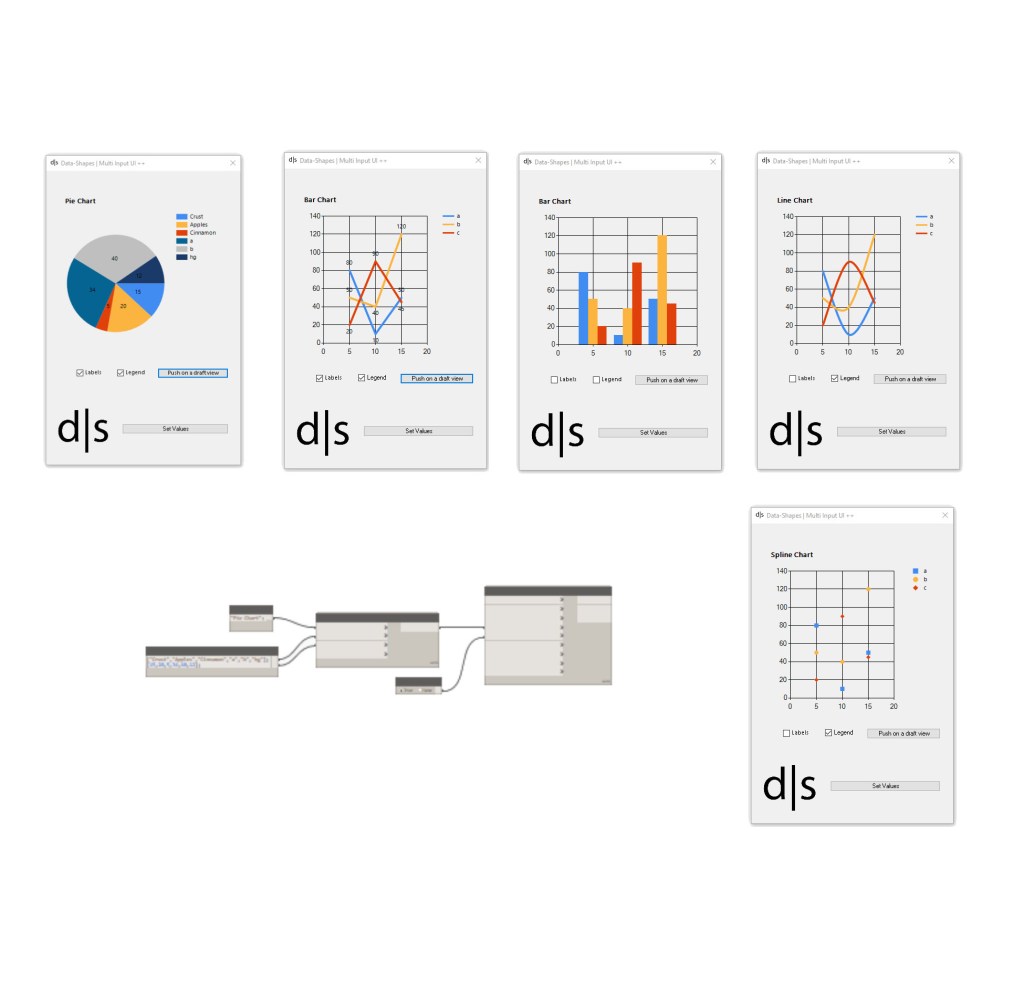
Edit: there has been an update with more input types! See more here .
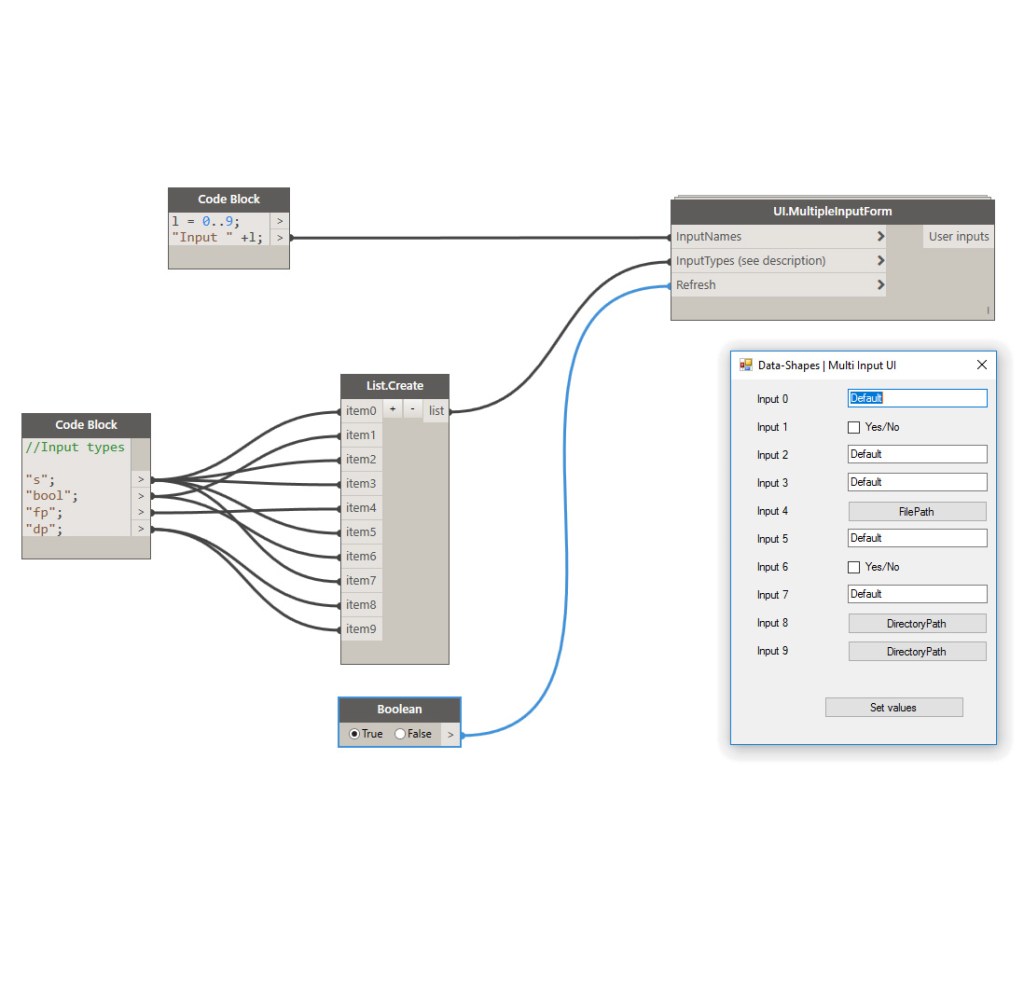
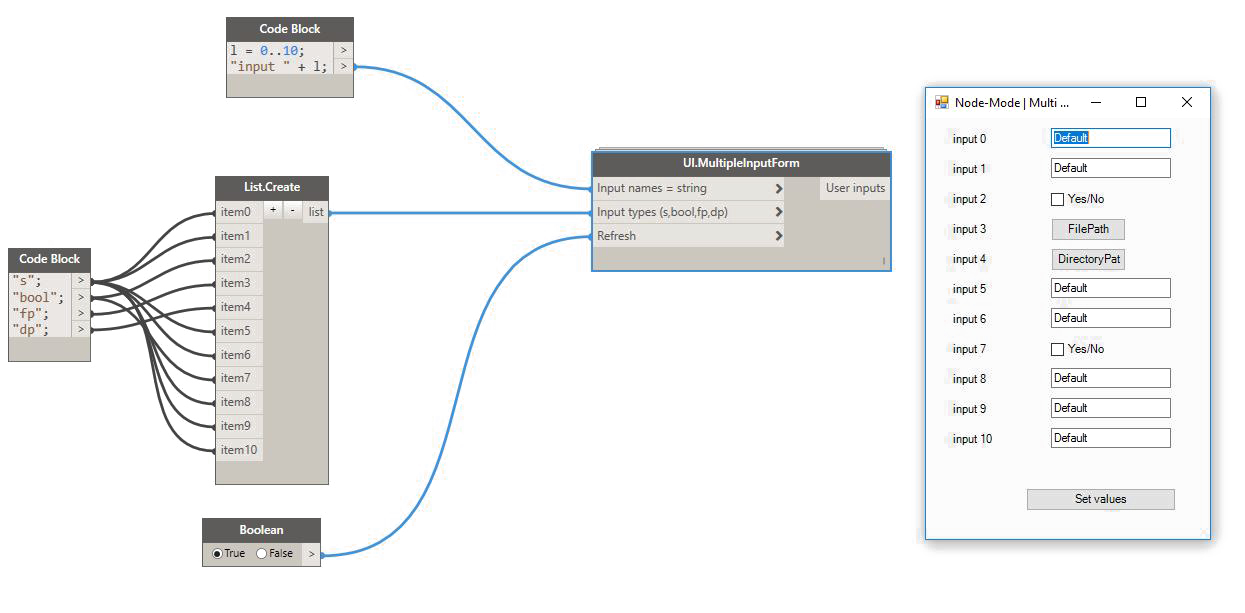
Here is how it works :

The node takes three inputs :
- A list of input names
- A list of input types (see codification below)
- A boolean toggle to refresh
The list of input types consists of a list of strings that will define the kind of input shown in the form.
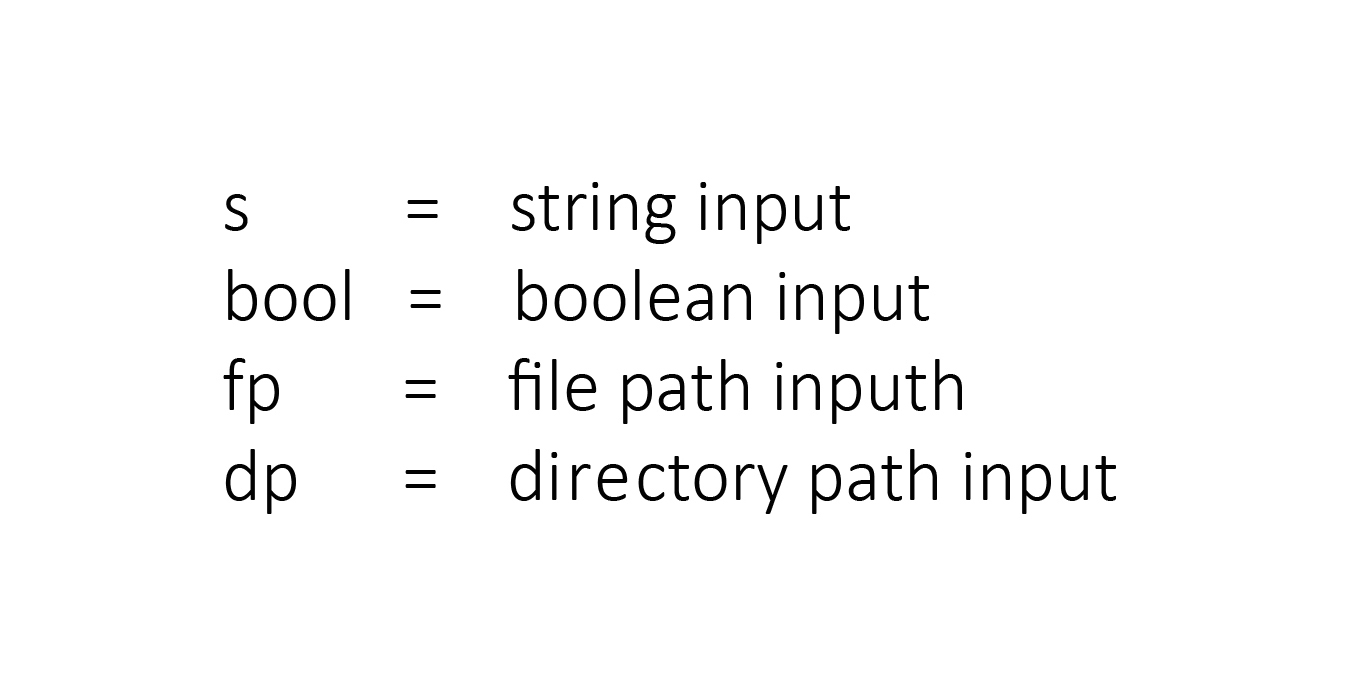
I aim to replace this by a drop down list node with the input types. It’s going to take zero touch nodes, which I’m not yet very familiar with.

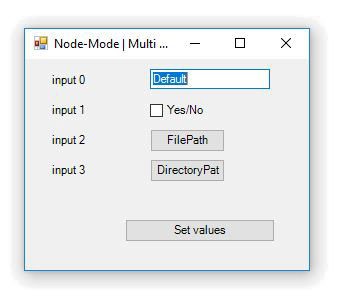
UI.MultiInputForm (Data-Shapes package , code at the end of the article) will return the values input by the user in a list:
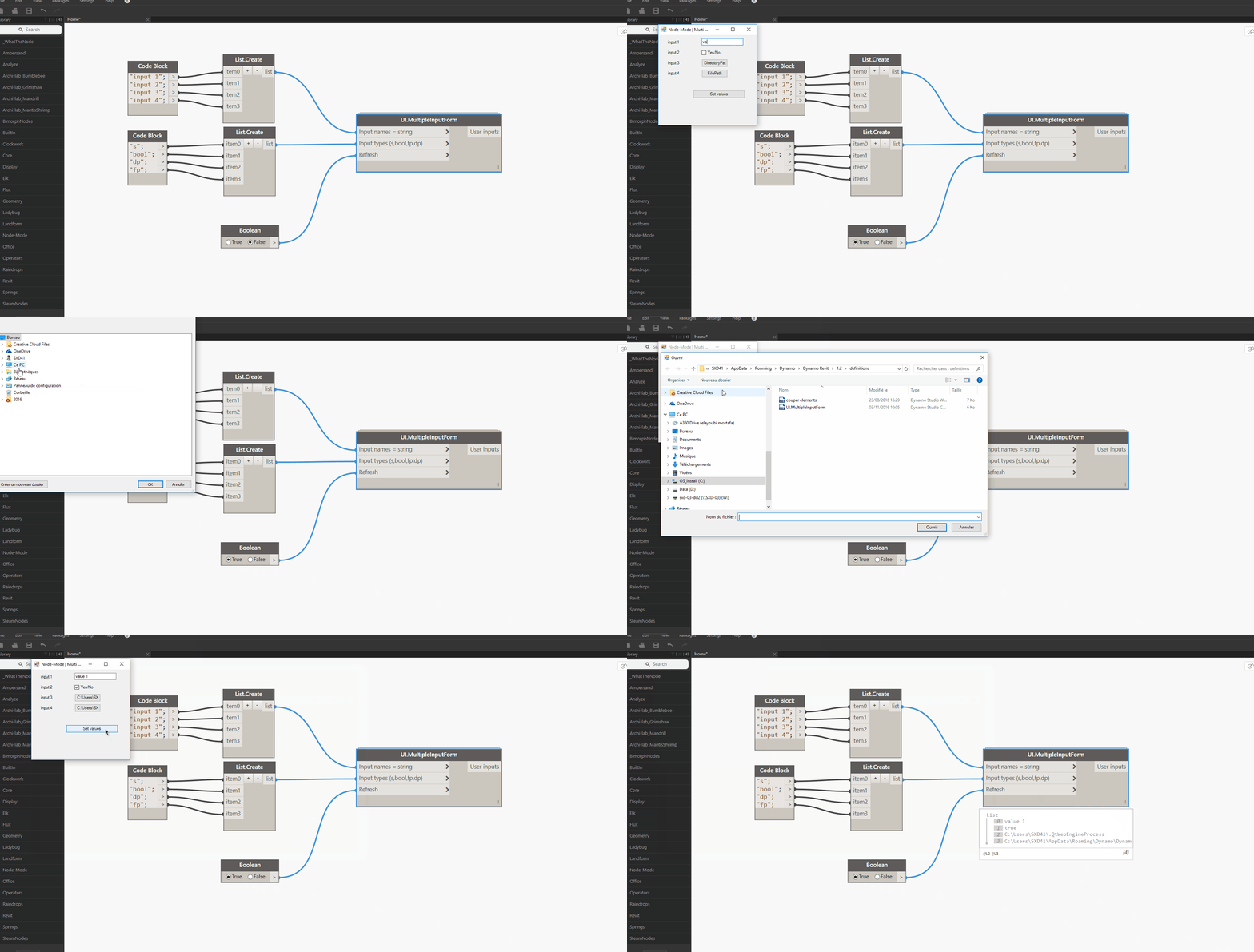
You can add as many inputs as you want!

It all – of course – gets much better when DynamoPlayer is involved:
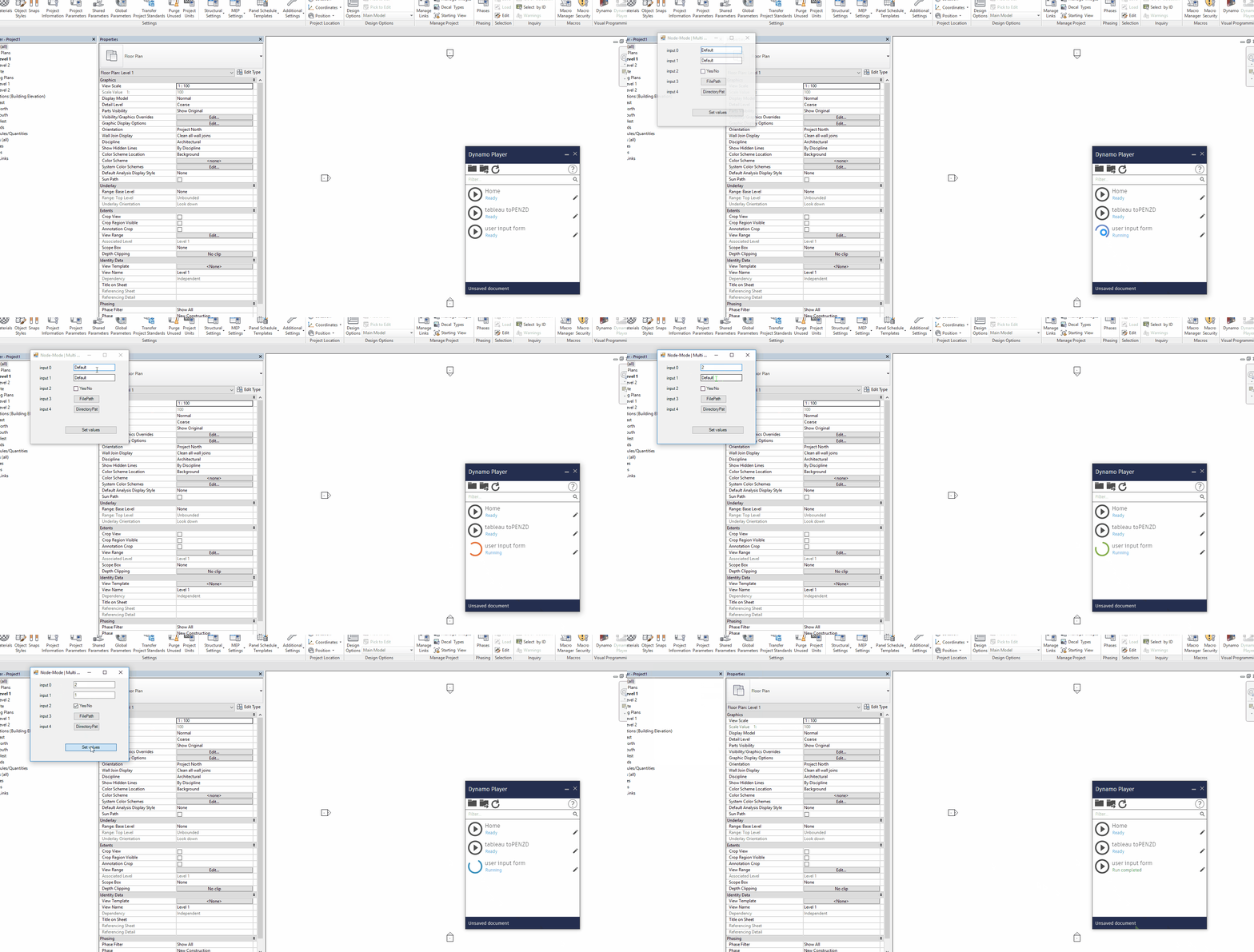
I hope this node is useful in getting more people to accept using dynamo. It’s just trying to fill the gap until the Dev Team or another user comes up with something much better.
Feel free to comment if you have any suggestion for improvement!
Here’s the code:
This file contains hidden or bidirectional Unicode text that may be interpreted or compiled differently than what appears below. To review, open the file in an editor that reveals hidden Unicode characters.
Learn more about bidirectional Unicode characters
| #Copyright (c) mostafa el ayoubi , 2016 | |
| #Data-Shapes http://www.data-shapes.net , elayoubi.mostafa@gmail.com | |
| import clr | |
| clr.AddReference('System.Windows.Forms') | |
| clr.AddReference('System.Drawing') | |
| from System.Drawing import Point | |
| from System.Windows.Forms import Application, Button, Form, Label, TextBox, CheckBox, FolderBrowserDialog, OpenFileDialog, DialogResult | |
| class MultiTextBoxForm(Form): | |
| def __init__(self): | |
| self.Text = 'Data-Shapes | Multi Input UI' | |
| self.output = [] | |
| self.values = [] | |
| def setclose(self, sender, event): | |
| for f in self.output: | |
| if f.GetType() == TextBox: | |
| self.values.append(f.Text) | |
| if f.GetType() == CheckBox: | |
| self.values.append(f.Checked) | |
| if f.GetType() == Button: | |
| self.values.append(f.Text) | |
| self.Close() | |
| def reset(self, sender, event): | |
| pass | |
| def openfile(self, sender, event): | |
| ofd = OpenFileDialog() | |
| dr = ofd.ShowDialog() | |
| if dr == DialogResult.OK: | |
| sender.Text = ofd.FileName | |
| def opendirectory(self, sender, event): | |
| fbd = FolderBrowserDialog() | |
| dr = fbd.ShowDialog() | |
| if dr == DialogResult.OK: | |
| sender.Text = fbd.SelectedPath | |
| form = MultiTextBoxForm() | |
| xlabel = 25 | |
| xinput = 125 | |
| y = 10 | |
| fields = [] | |
| error = 0 | |
| #Input form | |
| if isinstance(IN[0],list): | |
| inputnames = IN[0] | |
| else: | |
| inputnames = [IN[0]] | |
| if isinstance(IN[1],list): | |
| inputtypes = IN[1] | |
| else: | |
| inputtypes = [IN[1]] | |
| for i,j in zip(inputnames,inputtypes): | |
| label = Label() | |
| label.Location = Point(xlabel,y+4) | |
| label.Height = 20 | |
| label.Width = 80 | |
| label.Text = str(i) | |
| form.Controls.Add(label) | |
| if j == 's': | |
| tb = TextBox() | |
| tb.Text = 'Default' | |
| tb.Width = 120 | |
| tb.Location = Point(xinput,y) | |
| y += 30 | |
| form.Controls.Add(tb) | |
| form.Controls.Add(label) | |
| form.output.append(tb) | |
| elif j == 'bool': | |
| yn = CheckBox() | |
| yn.Location = Point(xinput,y) | |
| yn.Text = 'Yes/No' | |
| form.Controls.Add(yn) | |
| y += 30 | |
| form.output.append(yn) | |
| elif j == 'fp': | |
| fp = Button() | |
| fp.Width = 100 | |
| fp.Text = 'FilePath' | |
| fp.Location = Point(xinput,y) | |
| y+= 30 | |
| form.Controls.Add(fp) | |
| fp.Click += form.openfile | |
| form.output.append(fp) | |
| elif j == 'dp': | |
| dp = Button() | |
| dp.Width = 100 | |
| dp.Text = 'DirectoryPath' | |
| dp.Location = Point(xinput,y) | |
| y+= 30 | |
| form.Controls.Add(dp) | |
| dp.Click += form.opendirectory | |
| form.output.append(dp) | |
| else : | |
| error = 1 | |
| button = Button() | |
| button.Text = 'Set values' | |
| button.Width = 150 | |
| button.Location = Point (100,y+30) | |
| button.Click += form.setclose | |
| form.Controls.Add(button) | |
| form.Height = y + 120 | |
| if error == 0: | |
| Application.Run(form) | |
| result = form.values | |
| else : | |
| result = 'one or more input types are incorrect' | |
| OUT = result |



 data|shapes
Leave a reply to Ben Robinson Cancel reply